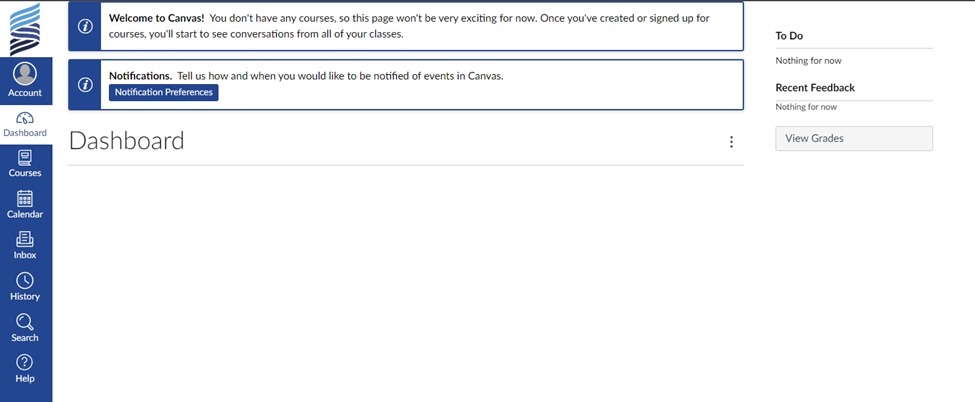




You'll access your active courses from your Canvas dashboard. In Canvas, participants can access course materials, participate in discussions and in some courses view grades, submit assignments, take quizzes, and meet via zoom.
Please note:
- Chrome is the recommended browser for accessing Canvas.
- If using a government computer with strong firewalls, you may have to copy and paste links into your Chrome browser.
New to SVRI training in Canvas?
- Access Canvas
- Click the “I’m a student” button.
- Enter the join code you were provided.
- Enter your full name and username. Your username should be your email address.
- Create and confirm a password.
- Click the “Start Learning” button.
Returning to SVRI training in Canvas?
- Access Canvas
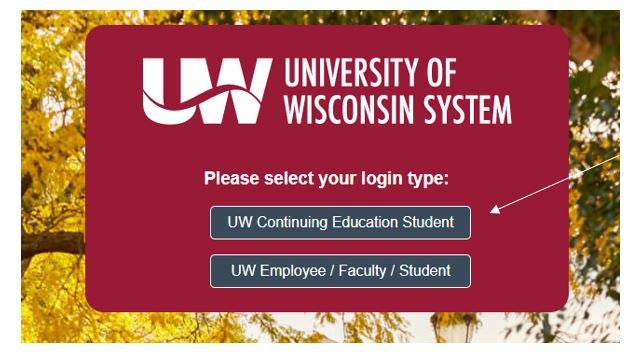
- Click the "UW Continuing Education Student" button.
- Enter your Login and Password. (Your Login should be your email address.)
- Click the "Log In" button.
For additional support, including access to a Canvas Orientation course, visit our KnowledgeBase.
The screenshot below illustrates the Canvas login type selection screen. You will need to click on "UW Continuing Education Student".
Sample screenshot of the Canvas Dashboard: